
What breaks, what Odoo's own upgrade scripts fix, and what still needs a careful pair of hands.
Key takeaways
- Going from Odoo 16 to Odoo 20 means catching up on four versions of changes (17, 18, 19 and 20) in your custom code.
- In our 413-line sample module, 43 of the 48 issues found would stop it working on Odoo 20.
- Odoo's own
upgrade_codescripts made about a quarter of the needed changes, and one of their changes was wrong. - The riskiest changes are quiet ones:
read_group()keeps its name with new arguments, and access rules move to the newir.accessmodel. - Scan first, run the scripts on a copy, test every module and rehearse the data migration before go-live.
Odoo 20 is here. If your company runs Odoo 16 with custom modules, the jump is not one upgrade but four: versions 17, 18, 19 and 20 each changed how custom code has to be written. A module built for Odoo 16 will not even install on Odoo 20 until those changes are made.
Rather than guess, we ran the whole process on a sample module: a typical Odoo 16 "Service Job Cards" app with models, views, access rules, a PDF report, a small dashboard and automated tests. All the data in it is test data. Here is what we found.
What changed between Odoo 16 and Odoo 20
We wrote a scanner that checks custom modules for every breaking change we know of between the two versions, and ran it on the sample. These are the changes that matter most for custom code:
| Version | What changed | What to do |
|---|---|---|
| 17 | attrs and states removed from views; name_get() and user_has_groups() gone | Write conditions as invisible="..." / readonly="..."; use _compute_display_name and has_group |
| 17 | The JavaScript rpc service removed | Import the rpc function instead |
| 18 | <tree> views renamed, group_operator and groups_id renamed | <list>, aggregator, group_ids |
| 18 | JSON routes and chatter markup changed | type="jsonrpc", <chatter/> |
| 19 | User groups reorganised into privileges; _sql_constraints replaced | privilege_id, user_ids, models.Constraint |
| 19 | read_group() keeps its name but takes new arguments and returns tuples | Rewrite every call by hand |
| 20 | Access rights and record rules merged into one new model, ir.access | Convert, then re-check every rule |
| 20 | odoo.osv.expression removed | Use Domain objects |
| 20 | The web client moved to OWL 3; t-esc removed from templates | New component patterns, t-out |
Odoo's own upgrade scripts: helpful, not finished
Odoo 20 ships a set of code-upgrade scripts (odoo-bin upgrade_code). On our sample they handled the repetitive renames well: list views, JSON routes, SQL constraints, the new access-rights file and part of the OWL 3 conversion. In total they made about a quarter of the 153 lines that had to change.
Three lessons from running them:
- Check their output. The OWL 3 script imported a component that does not exist in the current Odoo 20 build. The dashboard would simply have failed to load. Only reviewing the diff and opening every screen catches that.
- Run them on a copy, never on your server. Started through
odoo-bin, the command also includes Odoo's own addons folders. In our first run it rewrote hundreds of Odoo's own source files as well as the custom module. We restored them from the original package, but on a production server that would be a serious problem. - Some scripts must be called by name. The OWL 3 conversion is not tied to a version number, so a "migrate from 16" run skips it.
The changes that need a person
The remaining three quarters were manual. Two examples show why.
View logic (Odoo 17)
<button name="action_done" type="object"
        states="confirmed"/>
<field name="partner_id"
   attrs="{'readonly': [('state', 'in',
                         ('done', 'cancel'))]}"/>
<button name="action_done" type="object"
        invisible="state != 'confirmed'"/>
<field name="partner_id"
   readonly="state in ('done', 'cancel')"/>
Business logic (Odoo 17, 19 and 20)
One small dashboard method needed three separate fixes. The most dangerous is read_group: the name is unchanged, so a search-and-replace finds nothing to fix, but the arguments and the result are completely different.
from odoo.osv import expression

domain = [('state', '!=', 'cancel')]
if not self.user_has_groups('..group_job_manager'):
    domain = expression.AND([domain,
        [('technician_id', '=', self.env.uid)]])
groups = self.read_group(domain,
    ['amount_total:sum'], ['state'])
from odoo.fields import Domain

domain = Domain('state', '!=', 'cancel')
if not self.env.user.has_group('..group_job_manager'):
    domain &= Domain('technician_id', '=',
                     self.env.uid)
groups = self.read_group(domain,
    ['state'], ['__count', 'amount_total:sum'])
Access rights (Odoo 20)
Odoo 20 merges model access lines and record rules into one ir.access model. The upgrade script converts them, but a mistake here does not show an error; it shows data to the wrong people. We added a test that logs in as a technician and checks they only see their own job cards. It passes on Odoo 20.
The result: running on Odoo 20
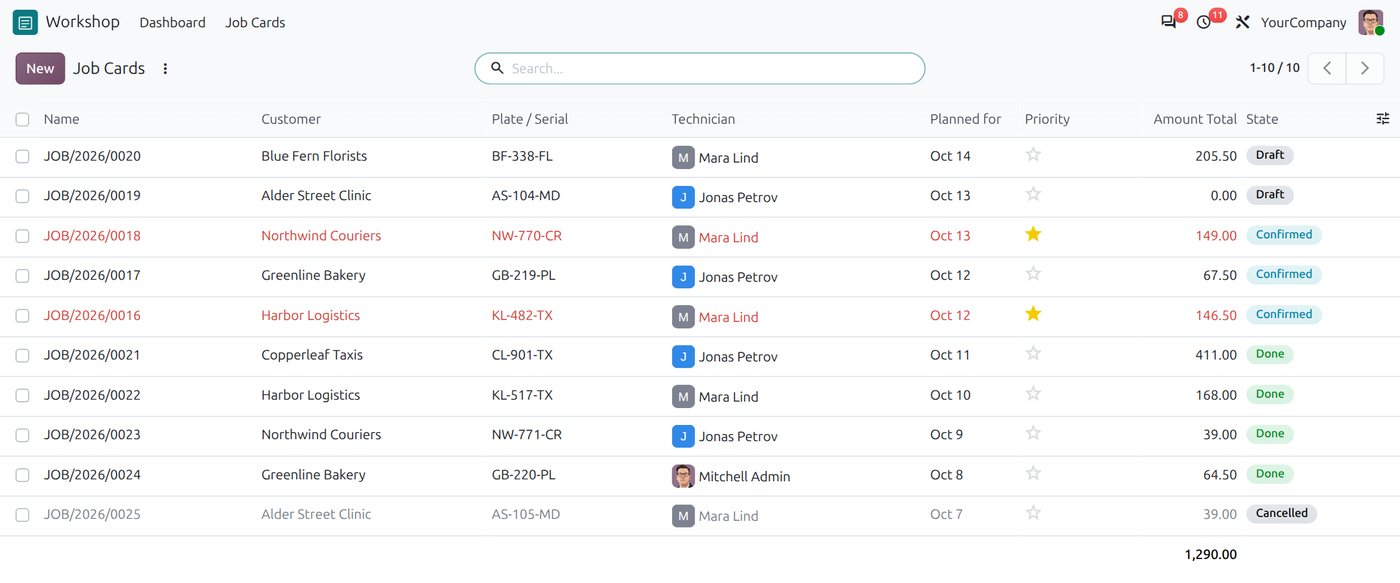
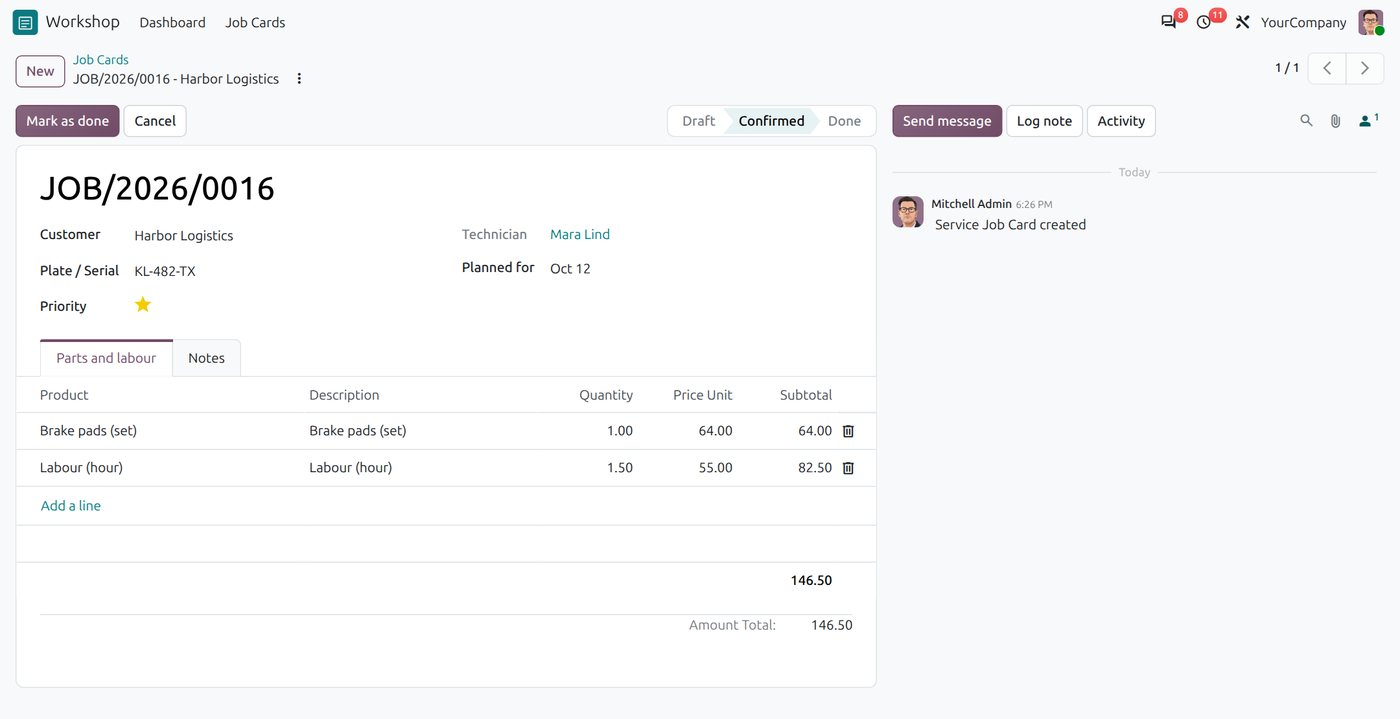
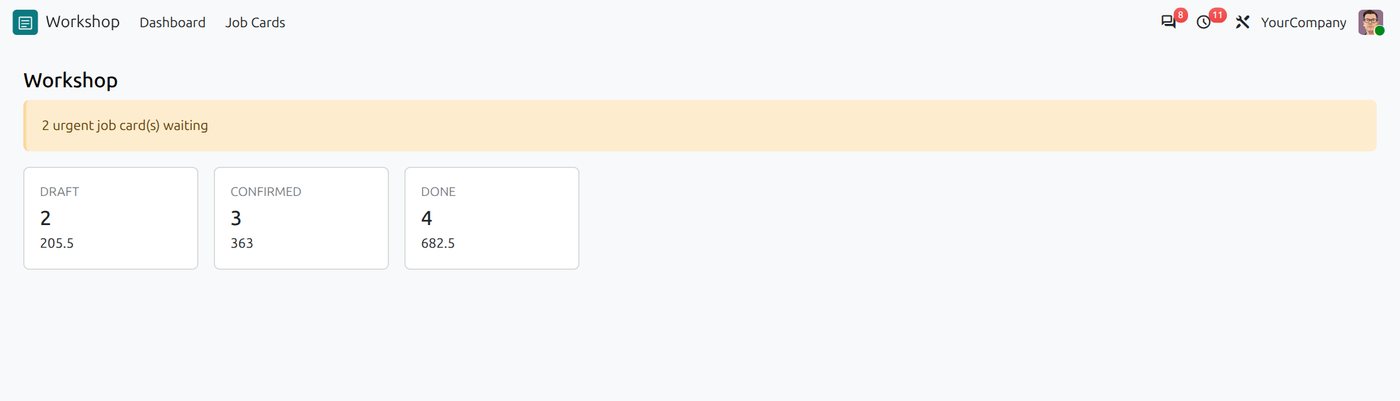
$ odoo-bin -i service_job_card --test-tags /service_job_card
Starting TestJobCard.test_cannot_close_empty_job ...
Starting TestJobCard.test_dashboard ...
Starting TestJobCard.test_sequence_and_total ...
Starting TestJobCard.test_technician_sees_only_own_jobs ...
0 failed, 0 error(s) of 4 tests
Code is half the job: your data
Your business data moves separately from your custom code, and both must be ready at the same moment.
- Standard data (customers, sales, invoices, stock, accounting) goes through the official upgrade path: Odoo's upgrade service for Enterprise, or OpenUpgrade for Community. As of October 2026 the upgrade service's newest target is 19.0 and OpenUpgrade's 20.0 branch is still in progress, so check when Odoo 20 becomes available for your database and which apps are covered.
- Custom data needs migration scripts inside each custom module for renamed fields, changed options and recomputed values.
- Rehearse on a copy of your production database, time it, and compare record counts, open invoices, balances and stock before and after.
Before you upgrade: a short checklist
- List every custom and third-party module, and check that the third-party ones exist for Odoo 20.
- Scan the custom modules so you know the size of the job before you start.
- Run Odoo's upgrade scripts on a copy, then review every change they make.
- Add tests for each module's key flows and access rules.
- Rehearse the data migration at least once on a copy of production.
- Let your key users test their daily work before go-live, and keep a rollback plan.
Frequently asked questions
Can I upgrade directly from Odoo 16 to Odoo 20?
Not for an existing database yet. As of October 2026, Odoo's upgrade platform offers 19.0 as its newest target, and OpenUpgrade's 20.0 branch is still in progress. You can upgrade your data to Odoo 19 now and port your custom modules to Odoo 20 in parallel, so they are ready when Odoo 20 opens as an upgrade target. Either way, the modules must be updated for every change made in Odoo 17, 18, 19 and 20.
Will my custom Odoo modules work on Odoo 20 without changes?
Almost certainly not. In our Odoo 16 sample module, 43 of the 48 issues our scanner found would stop the module installing or working on Odoo 20, including view syntax, access rules and the web framework.
Can Odoo's upgrade_code scripts migrate my modules automatically?
Partly. In our test they made about a quarter of the changed lines, mostly renames, and one of their changes imported a component that does not exist in the current Odoo 20 build. Use them as a first step on a copy, then review and test everything.
How long does an Odoo 16 to Odoo 20 migration take?
It depends mainly on how many custom modules you have, how large they are and how much data you hold. Scanning the custom code at the start gives a reliable estimate before any migration work begins.
What is ir.access in Odoo 20?
It is the single model that replaces both model access rights (ir.model.access) and record rules (ir.rule). Records linked to a group grant access to that group, records without a group restrict everyone, and each record lists the operations it covers.
Planning your upgrade to Odoo 20?
We migrate Odoo systems with custom modules from older versions to Odoo 20: assessment, module porting, data migration, testing and go-live, with your team kept informed at every step. Tell us which version you are on and how many custom modules you have, and we will tell you what the upgrade involves.